How to Post a Personal Message Screenshot (Linux)
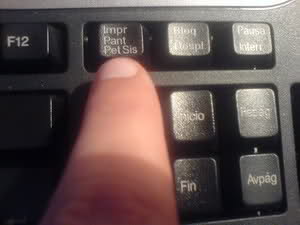
1. Open the Personal Message that you want to screenshot and push "PrintScreen"
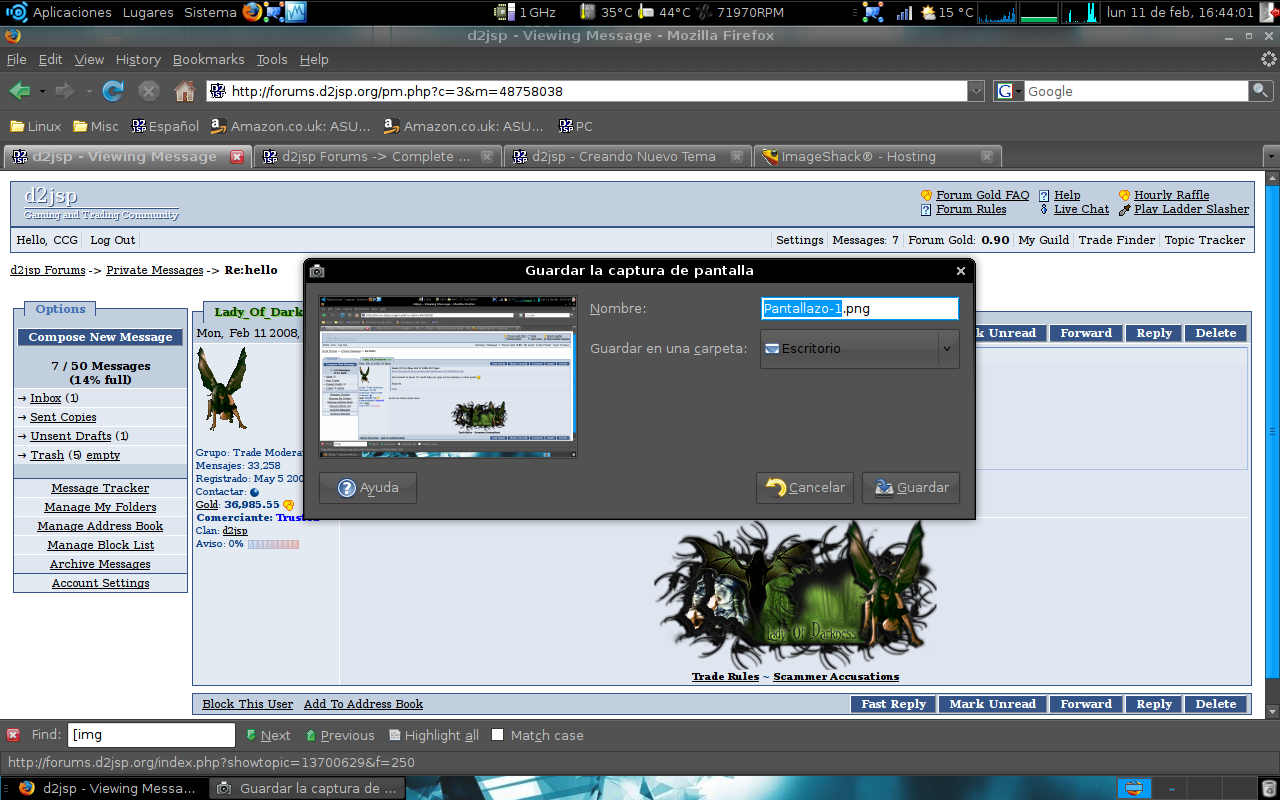
2. A window will appear asking the name and location for the screenshot
3. Go to https://tinypic.com/ and then CHOOSE and select the file
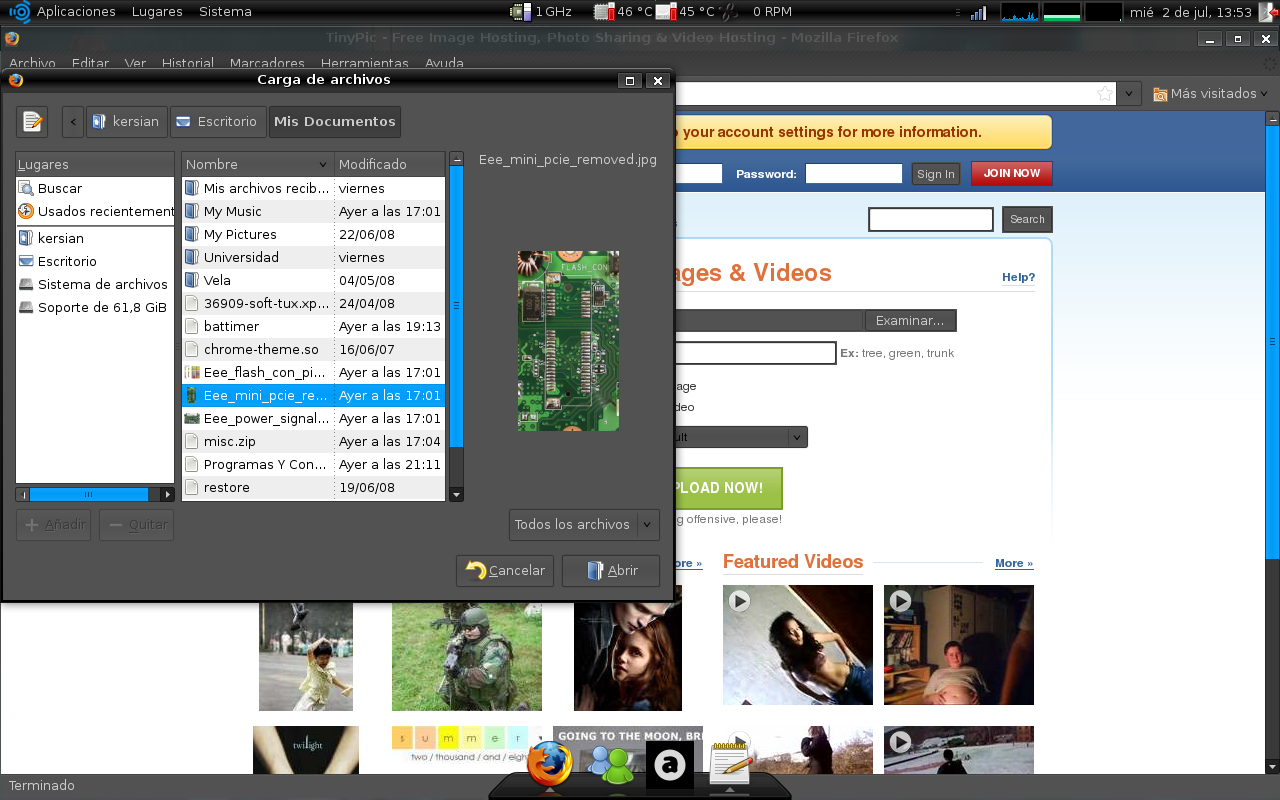
4. Once you have selected the picture, click "Upload now!"
5. After you have hosted your picture, copy and paste us the "Direct Link for Layouts"
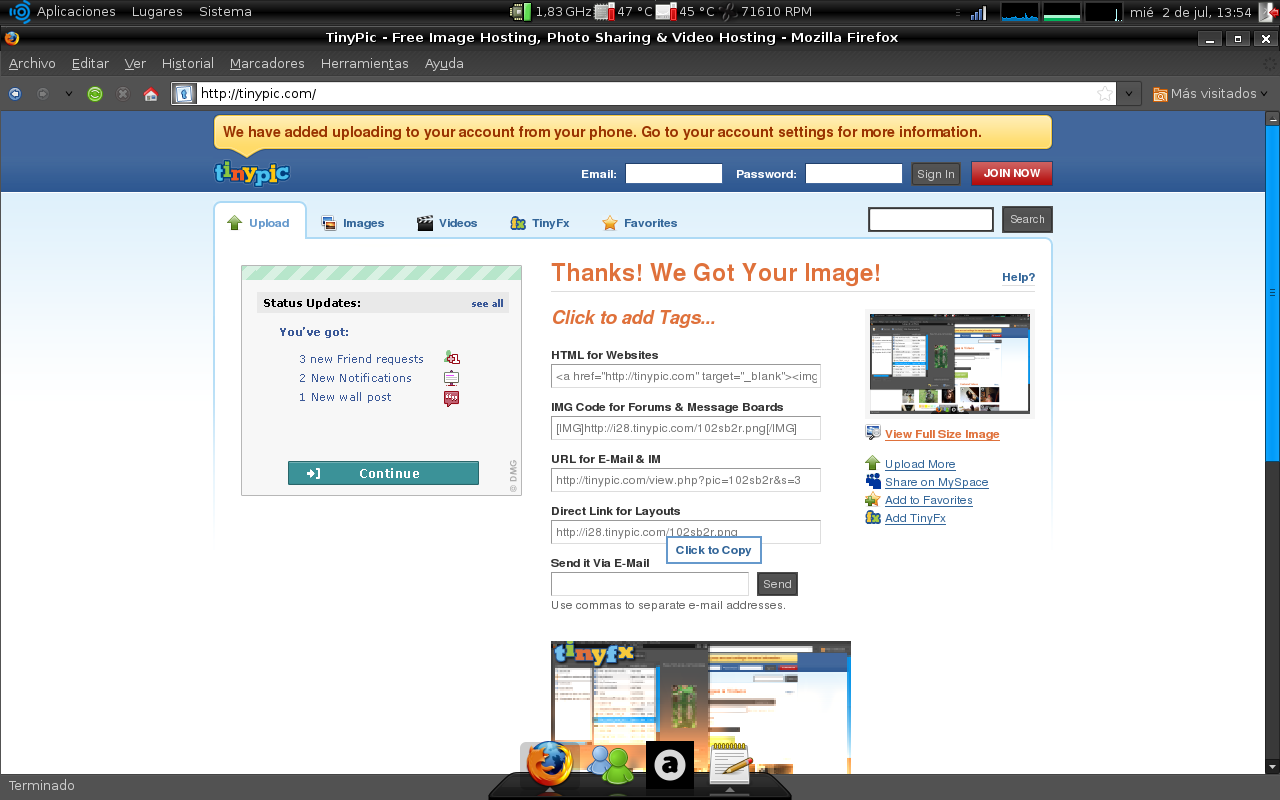
6. Your screenshot should look like this:
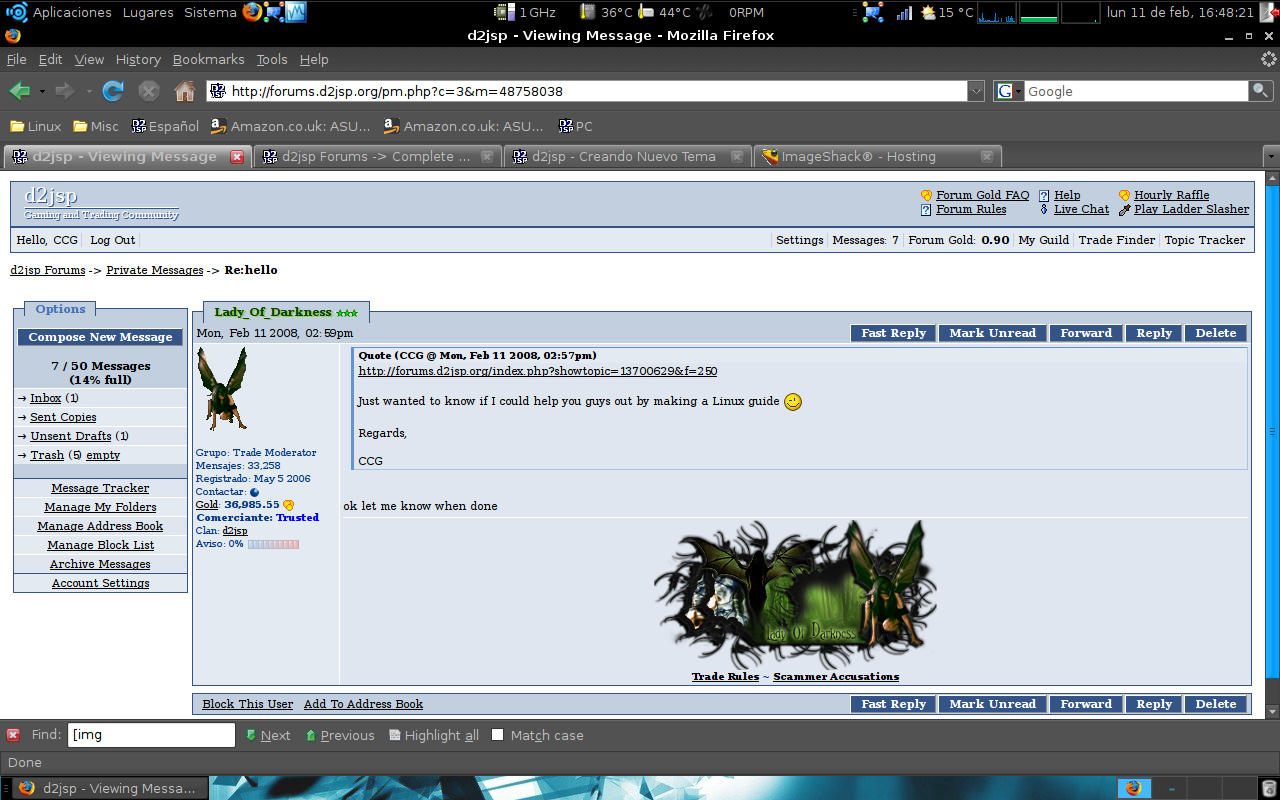
7. If your picture is not nice and big and readable, you did something wrong
2. A window will appear asking the name and location for the screenshot
3. Go to https://tinypic.com/ and then CHOOSE and select the file
4. Once you have selected the picture, click "Upload now!"
5. After you have hosted your picture, copy and paste us the "Direct Link for Layouts"
6. Your screenshot should look like this:
7. If your picture is not nice and big and readable, you did something wrong