How to Get a User's Profile Link
1) You have to know the exact user name.
2) Click this link: https://forums.d2jsp.org/tools.php?a=2
You should then see this:
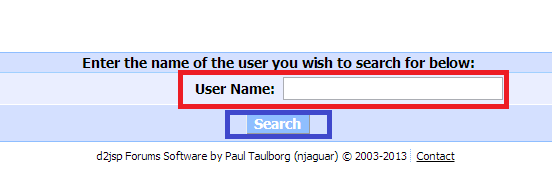
3) Type in the user's name in the box marked red in the picture and then press the button marked blue. If an error message appears, you didn't get the exact user name.
4) Mark and copy the part marked red in the following picture:

5) Then you can paste this link to wherever you want to. It will look like this: https://forums.d2jsp.org/user.php?i=193357, only the numbers will change for different users.
2) Click this link: https://forums.d2jsp.org/tools.php?a=2
You should then see this:
3) Type in the user's name in the box marked red in the picture and then press the button marked blue. If an error message appears, you didn't get the exact user name.
4) Mark and copy the part marked red in the following picture:
5) Then you can paste this link to wherever you want to. It will look like this: https://forums.d2jsp.org/user.php?i=193357, only the numbers will change for different users.