How to Get or Change a Star Behind Your Name
One of the most desired account features is the ability to place different stars next to your name. These stars are given as the result of donations and purchases made to the site.
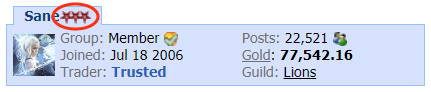
There are different ways of getting a donor star to appear beside your name. These are listed below:
Once you have completed any of the above methods, you can check the status of your stars by clicking the Settings link in the top menu.

Then click the Star button in the menu. Note: this menu option will only appear once you have completed one of the above methods.

Once you are viewing the Change Star Settings page, you can view a list of available stars and select the options you have gained access to.
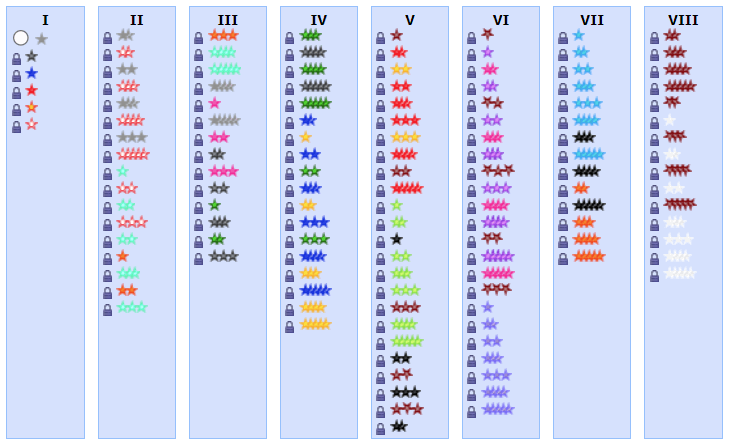
For each star there is a certain purchase threshold you must reach before it will be unlocked. Once a star is unlocked, you can switch your star settings at any time to use any of your unlocked stars.
There are different ways of getting a donor star to appear beside your name. These are listed below:
- The simplest and primary way to receive a star upgrade is to purchase forum gold using the The Purchase Forum Gold link.
- Another option is to mail the money to njaguar. For further information, read How to Purchase Gold with Postal Mail, Cash, or Money Transfer.
- Another way is to make a donation through the homepage of the website using the Donate button.
- Yet another option is to offer Forum Gold to someone who will pay U.S. dollars to d2jsp in your name in the Star Upgrade Tool. Make sure you read the Help and Instructions first.
Once you have completed any of the above methods, you can check the status of your stars by clicking the Settings link in the top menu.
Then click the Star button in the menu. Note: this menu option will only appear once you have completed one of the above methods.
Once you are viewing the Change Star Settings page, you can view a list of available stars and select the options you have gained access to.
For each star there is a certain purchase threshold you must reach before it will be unlocked. Once a star is unlocked, you can switch your star settings at any time to use any of your unlocked stars.