☰
d2jsp
Rules
Help
Forum Gold FAQ
Live Streams
Photo Gallery
Hourly Raffle
Ladder Slasher
Log In
Register
Log In
Register
Account Recovery
Resend Validation Email
d2jsp Forums
>
d2jsp
>
General Help
> How To Fix This?
Add Reply
New Topic
Views: 167
Replies: 3
Track Topic
Transex
Member
Posts: 2,231
Joined: Feb 12 2026
Gold
:
113,398.00
#1
Mar 9 2026 06:40am
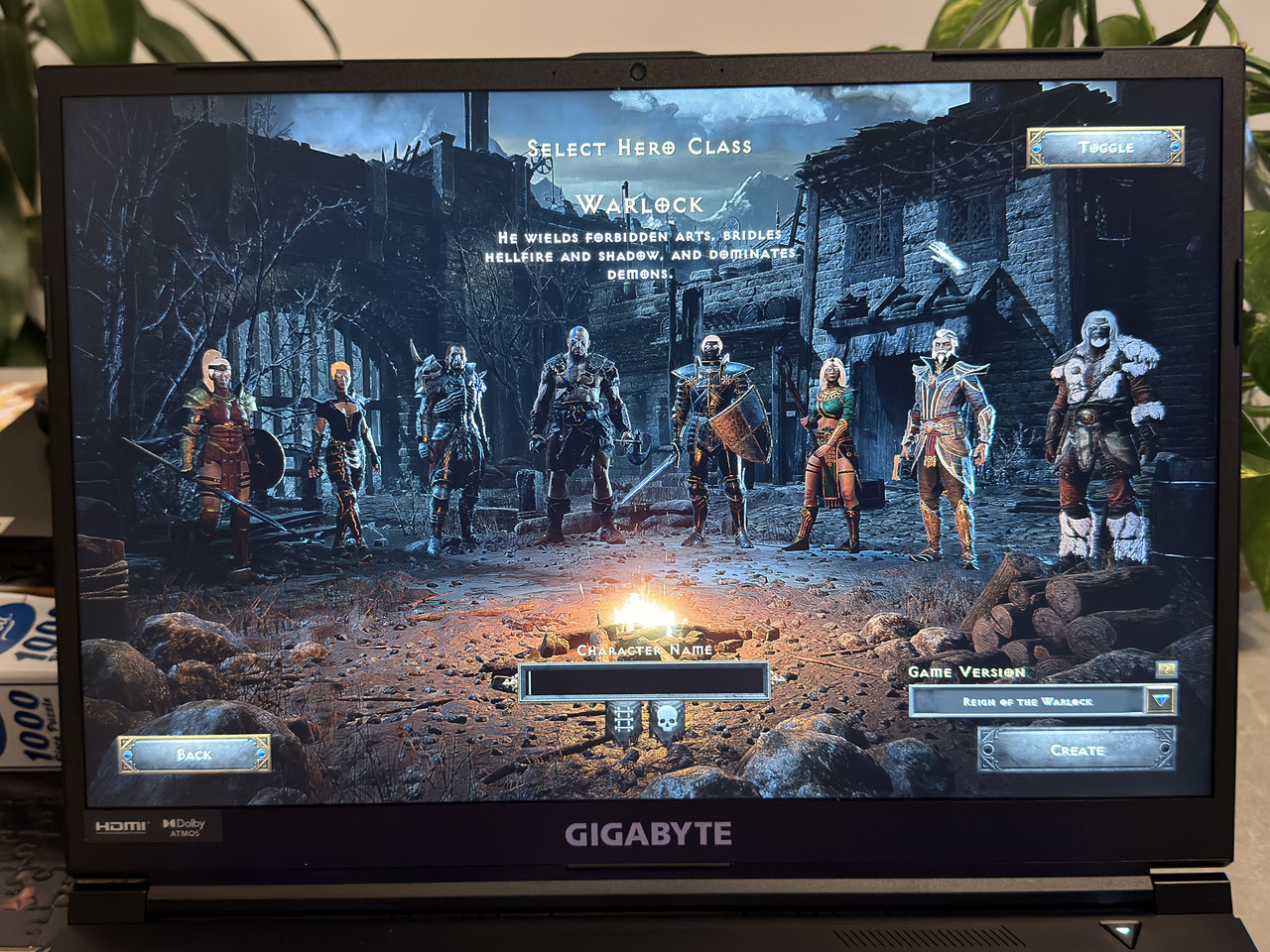
Not sure why some parts of the chars is white. Any clues?
It’s a brand new laptop, I just bought it lol.
Epiphany
Member
Posts: 39,183
Joined: Feb 28 2007
Gold
:
10,324.95
#2
Mar 9 2026 10:34am
You said the laptop is brand new, so forgive me if you have already looked into this - but have you verified the drivers are all updated, the graphics driver in-particular - but you should check all of them.
AlexDeLarge
Member
Posts: 4,837
Joined: Feb 18 2009
Gold
:
16,138.00
#3
Mar 9 2026 02:33pm
Quote (
Transex @ 9 Mar 2026 13:40
)
Not sure why some parts of the chars is white. Any clues?
It’s a brand new laptop, I just bought it lol.
https://i.postimg.cc/1RYZt025/IMG-1623.jpg
Hey
First of all, check this if you haven’t done it yet; after that, we’ll think about the next steps.
Check game file integrity
If you’re using the Battle.net Launcher:
Open the launcher → select D2R → click Options → Scan and Repair.
This fixes missing or corrupted texture files.
Reinstall the game
Many players report that completely uninstalling and reinstalling the game fixes the white hair and missing minimap issues.
Update graphics drivers
Make sure you have the latest drivers from NVIDIA or AMD.
Older drivers can sometimes cause rendering bugs in D2R after patches.
Reset game graphics settings
Delete or move the game configuration folder (Documents\Diablo II Resurrected) – the game will create a new default config when next launched.
This post was edited by AlexDeLarge on Mar 9 2026 02:37pm
Transex
Member
Posts: 2,231
Joined: Feb 12 2026
Gold
:
113,398.00
#4
Mar 9 2026 03:23pm
I reinstalled the game and everything worked well now, thanks guys!!!
Go Back To
General Help
Topic List
Add Reply
New Topic
© 2003-2026 d2jsp
Contact