d2jsp
Log InRegister
d2jsp Forums > Off-Topic > Computers & IT > Issue With An Old Machine!
Add Reply New Topic New Poll
Member
Posts: 13,834
Joined: Feb 21 2014
Gold: 156,280.00
Jan 14 2026 08:42am
Hey everyone!

I got some issues running a machine of mine, and i cannot figure out where the issue might be.
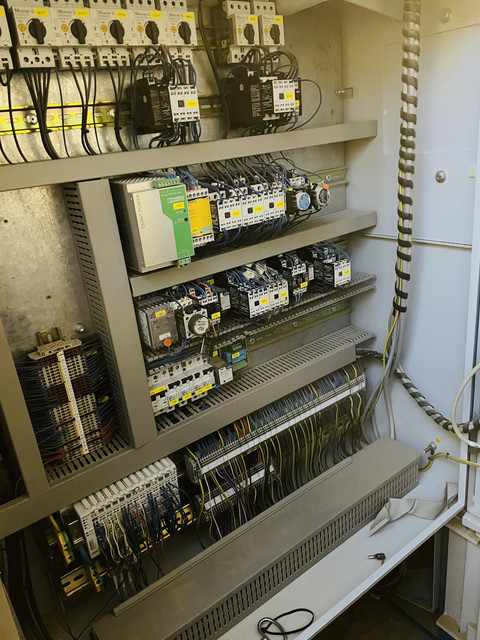
Adding pictures below.

This a rather old saw, and yesterday it dropped dead.
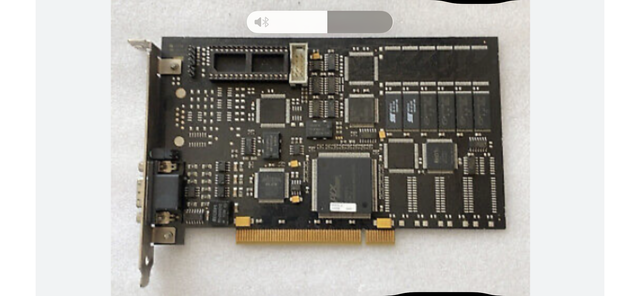
I get no signal to the monitor, and the slave card got two lights glowing red, and in the manual this says it is an issue with the master/slave card.

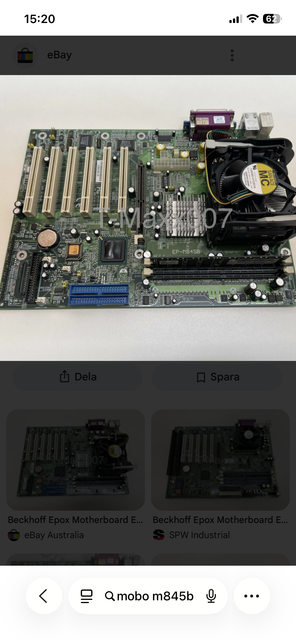
So I unplugged the master card from the mobo, just to be sure its nothing wrong with the computer. But it doesnt boot up bios, fans are spinning. Making me believe it is either the cpu or mobo.

Is there a way for me to check this? I really need to know which component that are faulty, all of these are extremely pricey.
And if it would be a problem with the master/slave card i guess it needs to be programmed etc again to function?

Id be hugely grateful if someone got an idea!
Huge thanks in advance!

- Slave/master card fc3101.0000
- Motherboard mobo m845b


This post was edited by US30 on Jan 14 2026 08:43am
Member
Posts: 13,834
Joined: Feb 21 2014
Gold: 156,280.00
Jan 14 2026 08:44am

Member
Posts: 3,528
Joined: Jan 12 2015
Gold: 12,862.30
Jan 14 2026 03:41pm
Does the monitor have it's own power supply or does it run all from the same machine?

I would recommend first checking the power supply rails with a multimeter.

This would be my first inspection on an old machine.
Member
Posts: 13,834
Joined: Feb 21 2014
Gold: 156,280.00
Jan 15 2026 02:00am
Does the monitor have it's own power supply or does it run all from the same machine?

I would recommend first checking the power supply rails with a multimeter.

This would be my first inspection on an old machine.


Thank you sir for the answer!

The monitor have its own power supply. And it works, and the signal cabel is ok aswell.
I will inspect and measure the power supply right now

Thanks!
Member
Posts: 13,834
Joined: Feb 21 2014
Gold: 156,280.00
Jan 15 2026 05:31am
Checked the power supply with multimeter, all values are correct.
Member
Posts: 9,066
Joined: Jun 6 2009
Gold: 0.00
Jan 23 2026 03:06pm
Please Try replacing the Flat-Round Battery first before anything else.
Chances are you haven't replaced it , causing a bios related issue.
Member
Posts: 13,834
Joined: Feb 21 2014
Gold: 156,280.00
Jan 23 2026 04:46pm
Please Try replacing the Flat-Round Battery first before anything else.
Chances are you haven't replaced it , causing a bios related issue.


Thanks for the reply!

I have both measured and changed the cmos battery.

I had the computer over at a company who are specialized repairing circuit boards. They said it was a dead end unless you had new parts to try with. From what they could measure on the motherboard, there were no issues.

Right now it looks like i have to buy a new computer with installation or a whole new machine.

30k$, or 150k$ for a new machine. 😫

Huge thanks for the support!

This post was edited by US30 on Jan 23 2026 05:03pm
Go Back To Computers & IT Topic List
Add Reply New Topic New Poll