d2jsp
Log InRegister
d2jsp Forums > Other Games > FPS & Battle Royale > Overwatch 2 > Amazing Overwatch Desktop Setup > Preview And Guide Within!
Add Reply New Topic New Poll
Retired Moderator
Posts: 27,977
Joined: Apr 9 2007
Gold: 85.47
Trader: Trusted
Jul 1 2016 05:51am


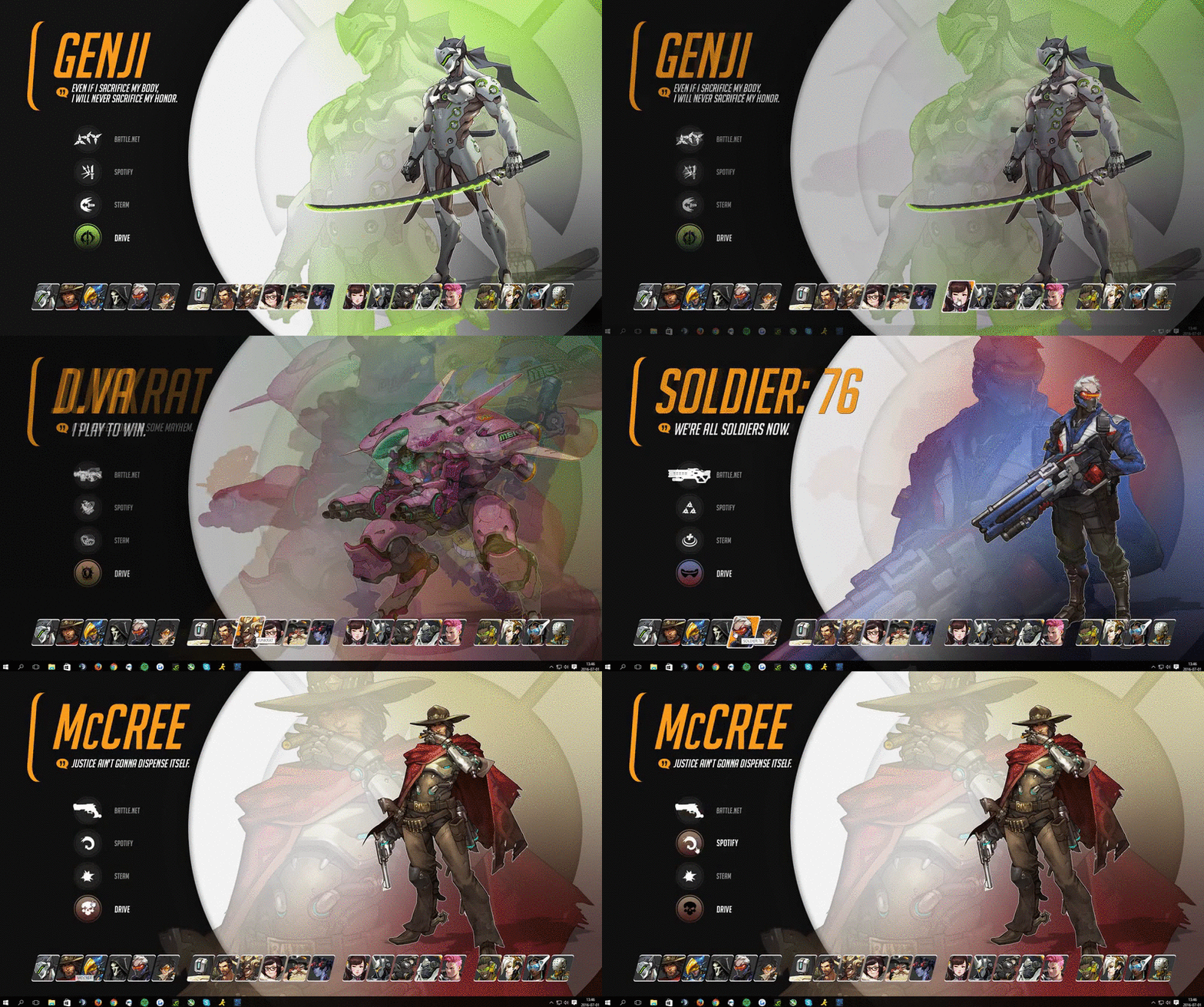
I found this on reddit and thought I'd share with the rest of you, in case you missed it.
First you need to download and install Rainmeter 4.0.
The final version does not support this, so you need to get the beta client.

https://www.rainmeter.net/
Rainmeter will install itself easily and there is no tricky setup.

Then you need to download the art from deviant art.
I will include a link here to the actual post to give some credit to the author at least.
http://akmos37.deviantart.com/art/All-21-Heroes-interactive-wallpaper-2-1-618415834

On the right you may found a "Download" link. No registration or login needed.
Once its downloaded, simply chose "Open/Install with rainmeter" and it will set it self up.

Easy!

Enjoy your new awesome Overwatch desktop!
Member
Posts: 9,819
Joined: May 27 2013
Gold: 77.50
Jul 1 2016 05:56am
Can you still access your desktop?
I have so many icons.
Retired Moderator
Posts: 27,977
Joined: Apr 9 2007
Gold: 85.47
Trader: Trusted
Jul 1 2016 05:57am
Quote (Ouefnut @ Jul 1 2016 01:56pm)
Can you still access your desktop?
I have so many icons.


This removes the entire desktop from being visible.
Pressing the windows button still shows your toolbar and you can easily access your desktop from there but in a separate window.
Member
Posts: 2,633
Joined: Dec 24 2012
Gold: 0.21
Jul 1 2016 11:00am
Very cool!
Go Back To Overwatch 2 Topic List
Add Reply New Topic New Poll