Required things for cashing in//cashing out via Mann Co. Supply Crate Keys:
-:x:- Steam Account
-:x:- Steam App on your phone
-:x:-:x:- Steam Guard active within Steam App (Steam's version of 2FA)
-:x:- Team Fortress 2 on Steam (Free to play game)
-:x:-:x:- For $1 more you can increase your backpack size on Team Fortress 2 by 100 slots. I recommend doing at least 10 of these. These can be found within Team Fortress 2 by going here within TF2:
Then:
Type in the search bar "Expander", and you will get this result:
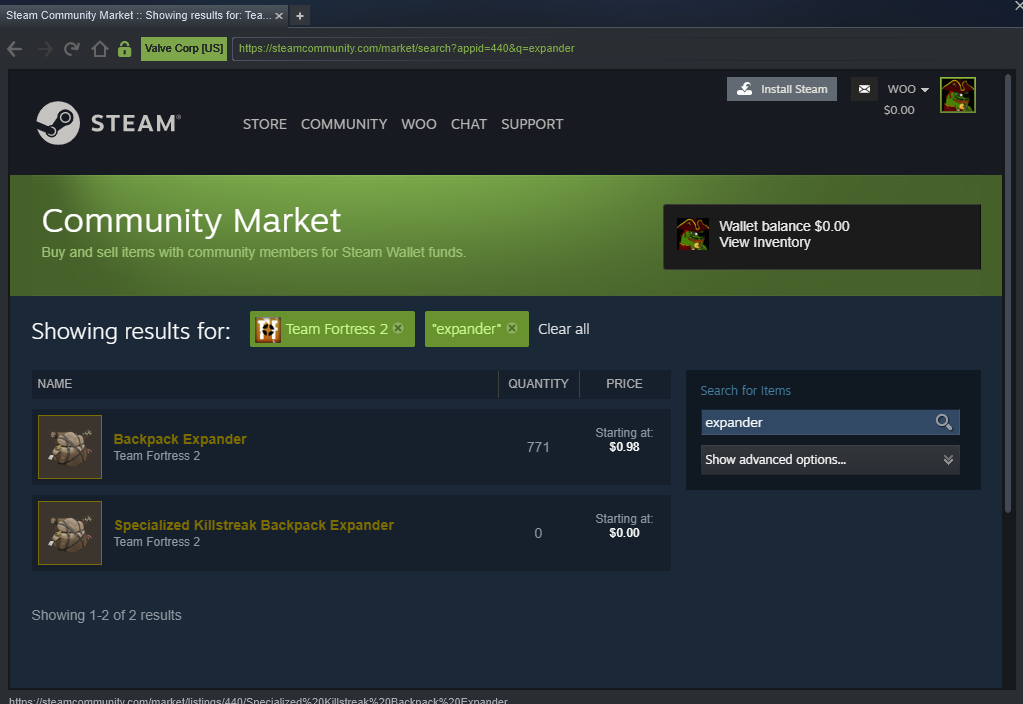
You can only have up to 3,000 backpack slots, so unless you plan on flipping or Big Dick cashing in/out, it's unnecessary to have that amount.
"Okay, I have TF2 up and going, my backpack increased, now what?"
There is a 3rd party site that asks you to log into steam there. This site is:
https://cs.deals/Apparently this is a very well known site, as steam even recognizes it. Steam does state that they have no affiliation with the website but allows them to utilize the site to run bots that sell keys.
If Steam is kosher with it, I'm kosher with it.
"Okay how do I buy these keys?"
Click the TF2 Icon on csdeals.
From there search for Mann Co. Supply Crate Keys
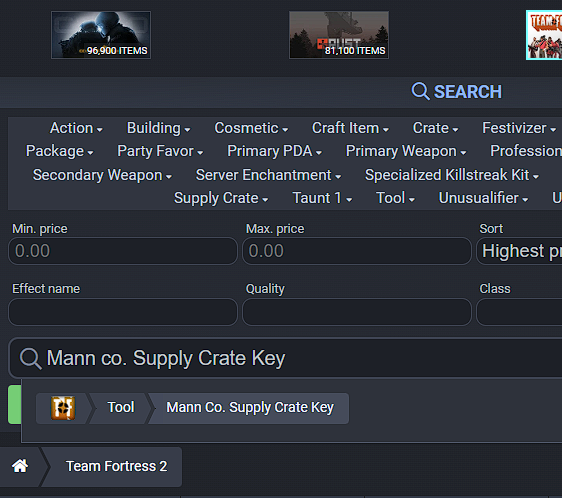
Make sure to set your SORT to LOWEST PRICE
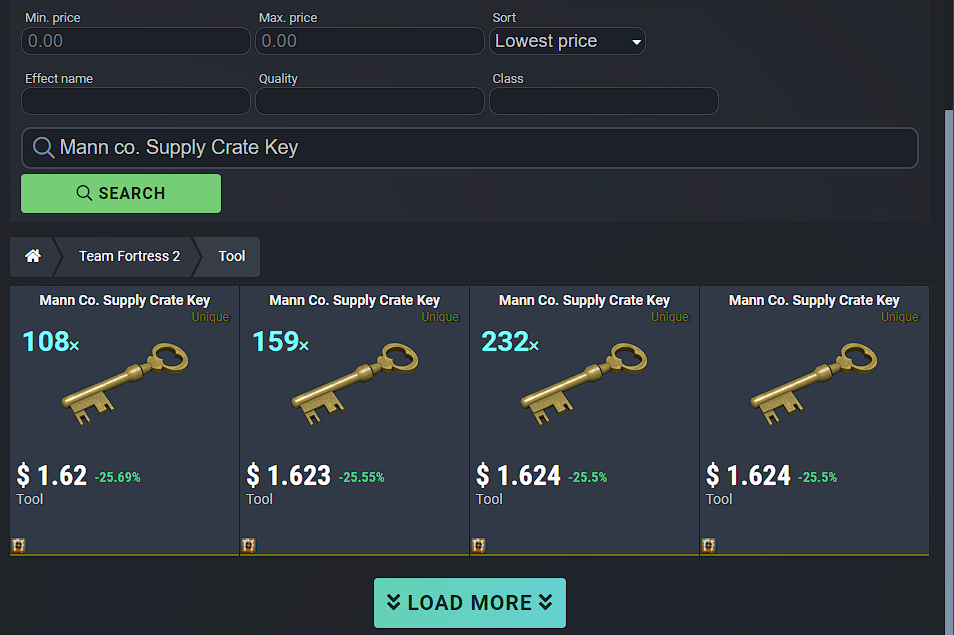
From there, click the key to add it to your cart. A pop up will show where you can enter exactly how many you want. Type the amount you want, hit ENTER, and then the keys will be in your cart.
Checking out was a little confusing, as the site has you DEPOST money onto their site in order to purchase their items. Marketing ploy to ensure repeat customers, etc.
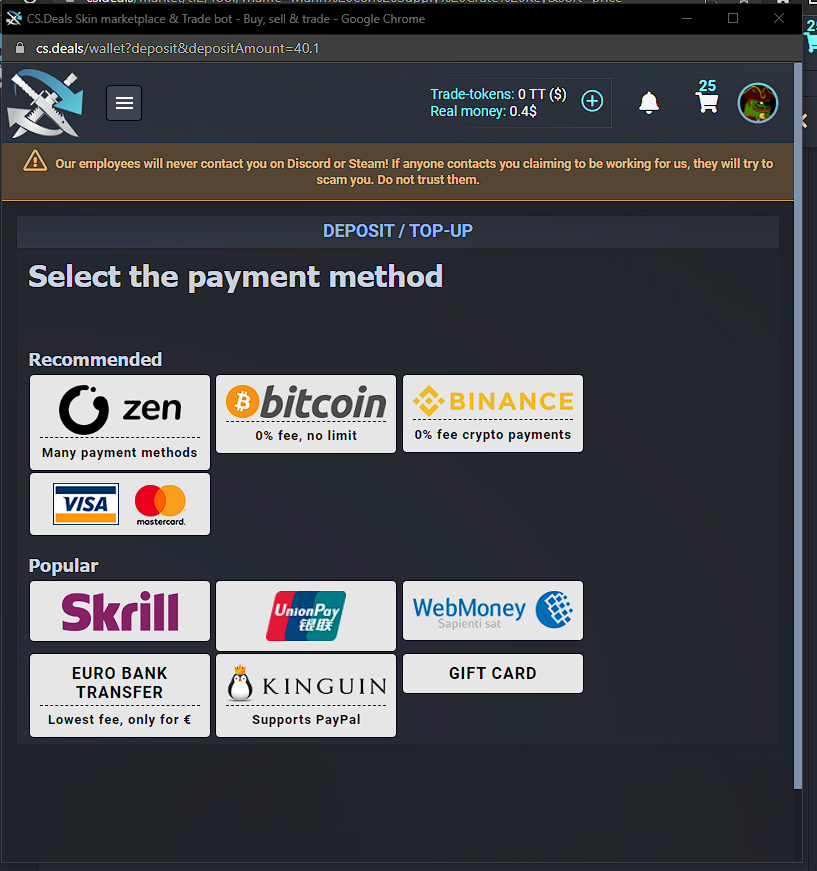
Deposit your money equal to the total, and from there you can finish checking out. I did the Visa/Mastercard option and it went through quickly.
Next, click your ICON in the top right of the webpage and go to "My Inventory". From here, you click the amt of keys you want to WITHDRAW and a Bot will send you a trade.
IF YOU GET THIS ERROR:
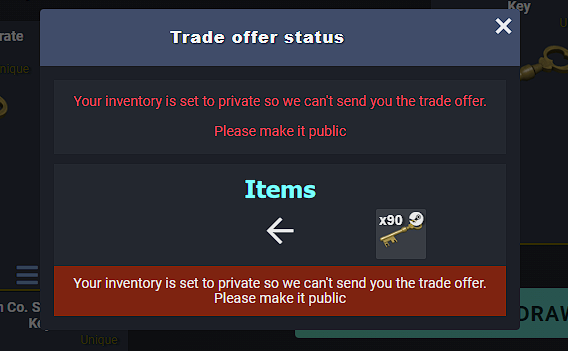
Go to your account on steam, Go to your Privacy Settings and Toggle your INVENTORY to PUBLIC
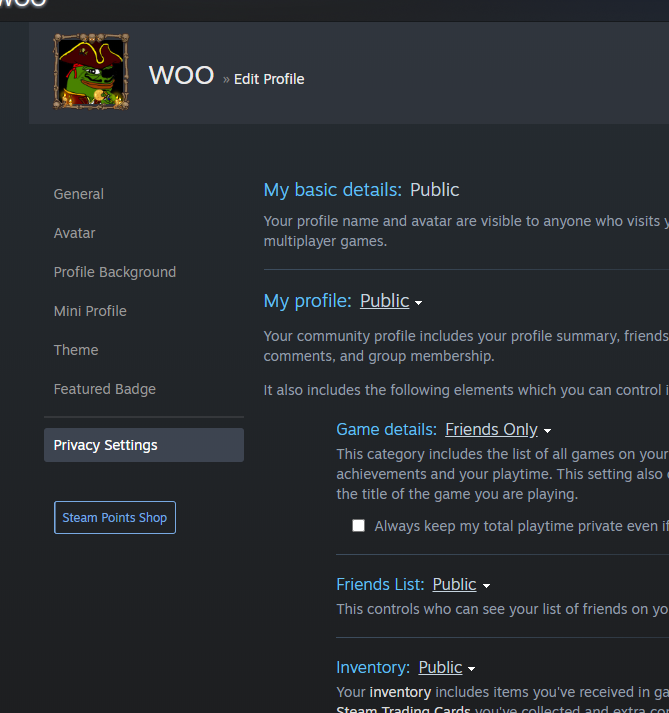
Now you will be able to accept trades and send trades with other members.
Withdraw your keys, accept the trade, and they will be added to your STEAM inventory.
"Okay, I have my keys, how the fuck do I get rid of them?"
I utilize dog1706 for a loooot of things and this is definitely one of them.
Otherwise, go to the Team Fortress 2 subforum under "FPS & Battle Royale" on jsp to find a buyer:
https://forums.d2jsp.org/forum.php?f=92This is the cool part. This is what makes these safe trades.
Each steam profile has it's own unique trade ID. So you will know without a doubt the person you are trading with.
Add the person on steam, then go to your Steam profile, click Item inventory, and then Trade Offers.
From here, you click "NEW TRADE OFFER" and then select the person on your friends list you wish to trade with
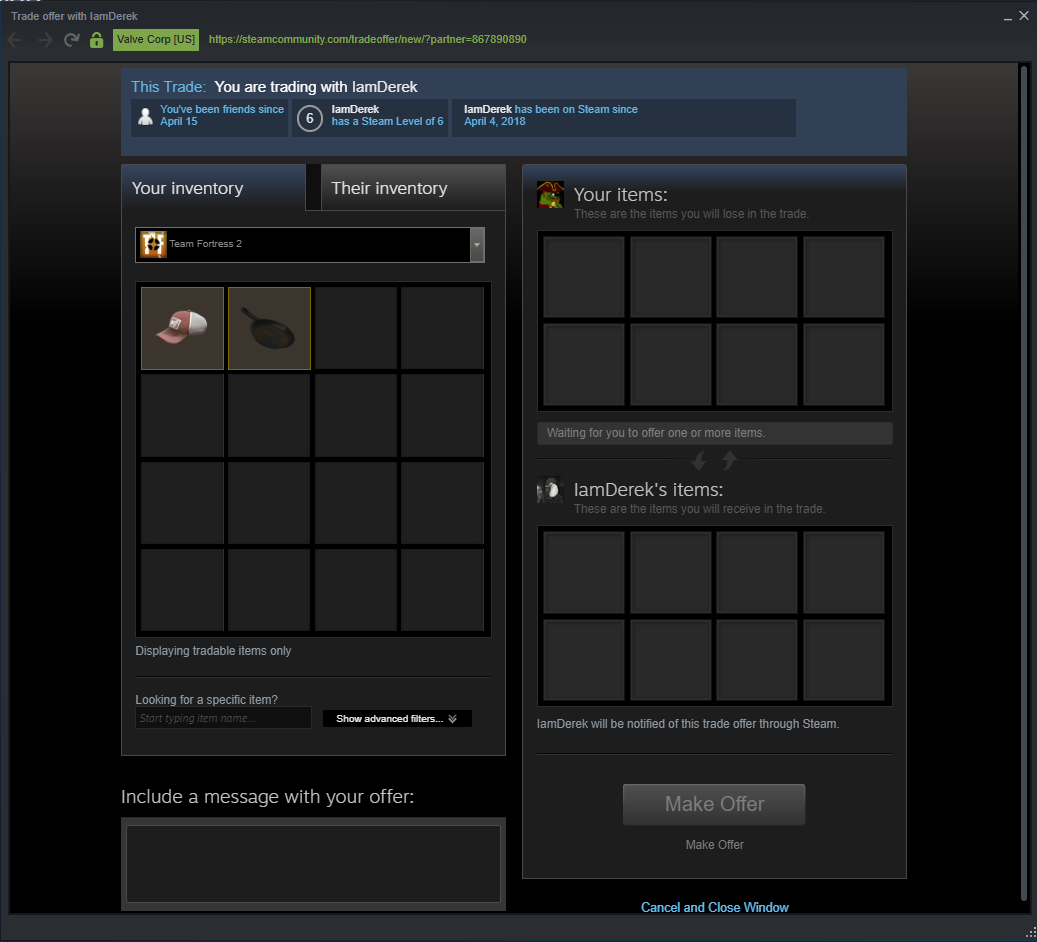
Click the person and then a screen like this will pop up:
 This post was edited by woo on Jun 19 2023 04:55pm