Hi, this is a private message automated system alert.
Apparently davidchico and YGPBrad forgot how to use me.
I will give a brief tutorial on how to send a private message.Private Message System GuideHow do I identify a read PM from a new PM?Just like the old system, the read PMs will have a lighter colored icon than the new PMs. Below is a screenshot of a basic PM inbox. It includes, read, new and replied PMs. I will identify each one so you can learn how to tell the difference.
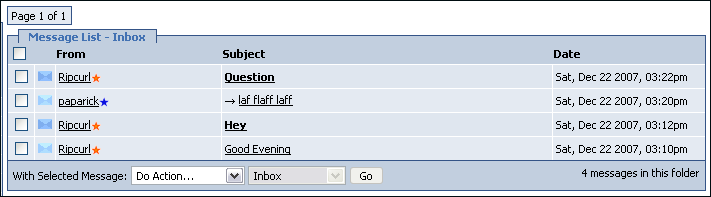 Read PMs
A read PM will have a lighter colored envelope icon and the title of the PM will not be bolded.
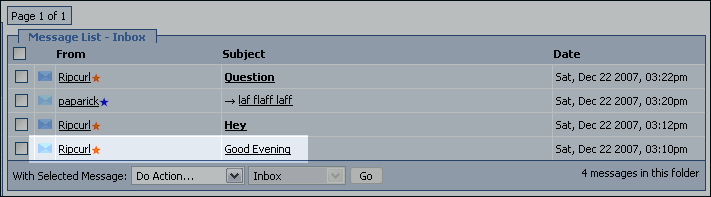 Unread PMs
Unread PMs will have a darker colored envelope icon and the title of the PM will be bolded.
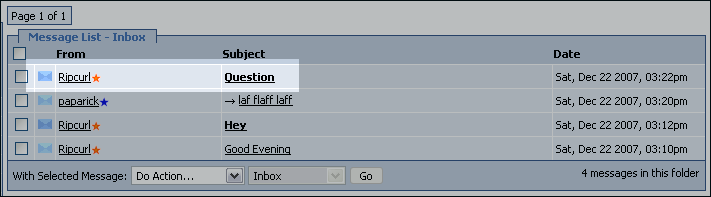 Replied PMs
When you reply to a PM, an arrow left of the PM title will appear to indicate that you have read and replied to that PM.
If you are still confused, please open a new topic in the
General Help section and a knowledgeable member will assist you.[/QUOTE]
Why does it say "Messages: 12" when I have no new messages?The PM count has been modified so that you will always see how many PMs you have stored.
For example, if you currently have 12 PMs (No new PMs), your header message will look regular.
But, if you recieve a new PM, the header will change and you will see a new message: 12 messages
(1 new)