d2jsp
Log InRegister
d2jsp Forums > Off-Topic > Computers & IT > Computer Building > Samsung Ssd Evo 500gb To Haf 932 Help Please!
Prev12
Add Reply New Topic New Poll
Member
Posts: 54,665
Joined: Aug 4 2005
Gold: 2,200.01
Sep 24 2016 06:47pm
His face
It's a ssd
Not a baby
And this isn't 2005
Who the fuck has a haf still
Member
Posts: 34,797
Joined: Feb 7 2008
Gold: 12,589.01
Sep 25 2016 05:37am
Quote (urbanshaft @ Sep 25 2016 11:47am)
His face
It's a ssd
Not a baby
And this isn't 2005
Who the fuck has a haf still


I haf one

See what I did there lol
Member
Posts: 16,267
Joined: Jun 22 2010
Gold: 83.19
Sep 25 2016 07:13am
Quote (ghostshadow @ Sep 25 2016 05:37am)
I haf one

See what I did there lol


Lawl
Banned
Posts: 22,577
Joined: Mar 11 2013
Gold: 0.00
Sep 25 2016 12:38pm
Quote (Anavar22 @ Sep 24 2016 08:24am)
Forgot how many troll children were on here lolz

Thanks guys.


literally retarded
Member
Posts: 105,409
Joined: Nov 12 2007
Gold: 2,382,304.50
Sep 26 2016 01:45am
Yeah the bracket you link is fine.
You most likely have some extra sata cables laying around?
Well kinda depends if you got it prebuilt.¨

For SATA cable you need to make sure its SATA 3.0 and your motherboard supports it. Else that will be the bottleneck
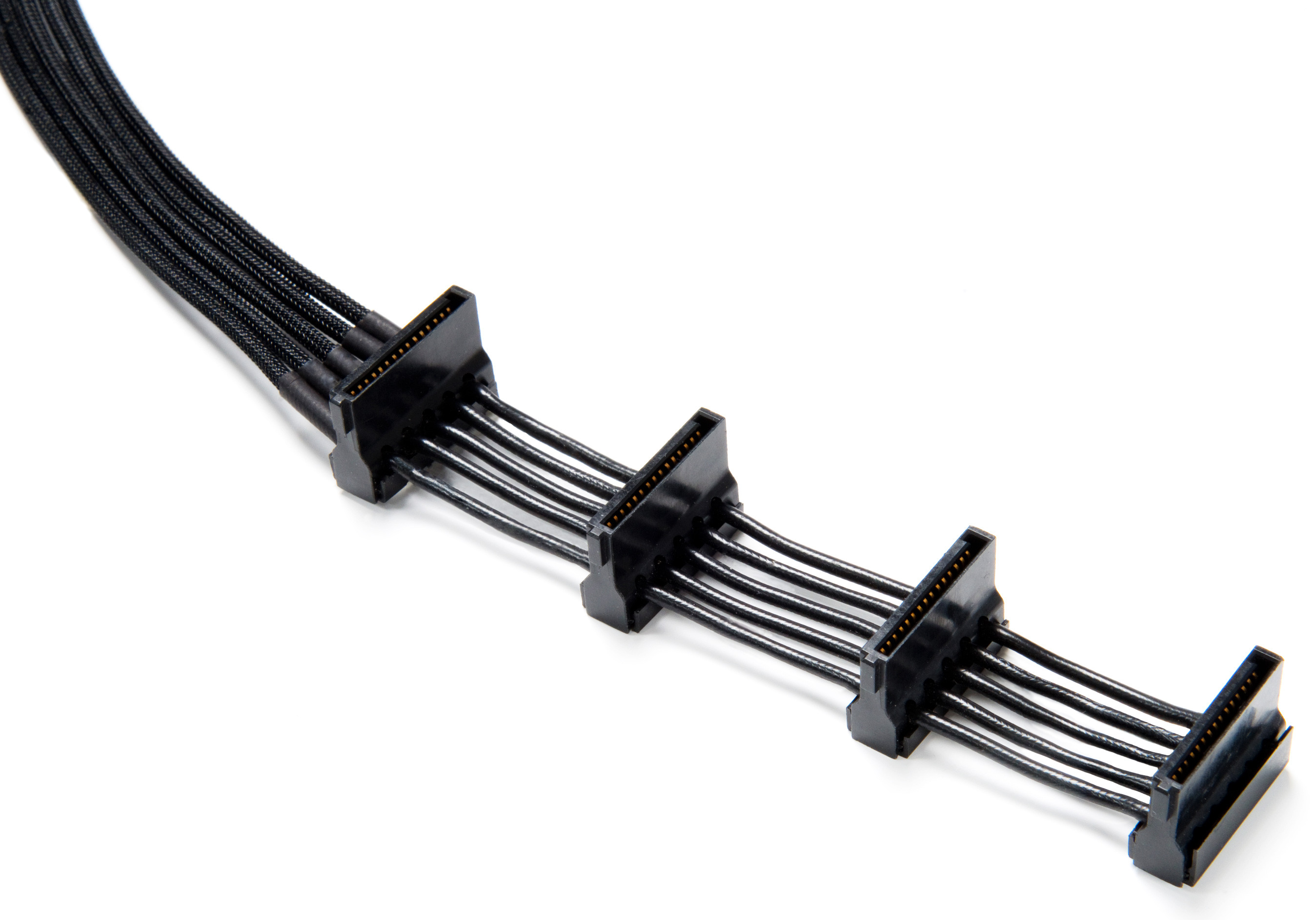
You most likely have extra sata power connectors. most cables have 3-5 connections for SATA.
looking like this:

Quote (Anavar22 @ 24 Sep 2016 17:24)
Forgot how many troll children were on here lolz

Thanks guys.


I don't believe these are trolls. SSD are quite light and have no mechanical moving parts.
So laying it freely, zip it or tape is fine. They are quite robust like USB sticks compared to traditional HDD's
I had my SSD's double side taped for months before i got around ordering some straight SATA cables instead of the 90 angle ones. So i could mount them properly.

As for moving your current data to your SSD. You could clone it.
BUT i would recommend you moving all document, files and saves on an external devices.
And reinstall OS, programs and games on your SSD, and just move over the files from the external device after.

Spring cleaning!
Member
Posts: 1,512
Joined: Apr 25 2014
Gold: 213.00
Sep 27 2016 07:12am
Quote (ZwiX @ Sep 26 2016 03:45am)
Yeah the bracket you link is fine.
You most likely have some extra sata cables laying around?
Well kinda depends if you got it prebuilt.¨

For SATA cable you need to make sure its SATA 3.0 and your motherboard supports it. Else that will be the bottleneck
You most likely have extra sata power connectors. most cables have 3-5 connections for SATA.
looking like this:
https://www.techpowerup.com/img/13-07-23/bc022_w_h_2.jpg


I don't believe these are trolls. SSD are quite light and have no mechanical moving parts.
So laying it freely, zip it or tape is fine. They are quite robust like USB sticks compared to traditional HDD's
I had my SSD's double side taped for months before i got around ordering some straight SATA cables instead of the 90 angle ones. So i could mount them properly.

As for moving your current data to your SSD. You could clone it.
BUT i would recommend you moving all document, files and saves on an external devices.
And reinstall OS, programs and games on your SSD, and just move over the files from the external device after.

Spring cleaning!


Thank you very much!
Member
Posts: 3,088
Joined: Aug 30 2006
Gold: 3,134.84
Sep 27 2016 11:58am
I just used velcro strips and stuck them to my case to hold my ssd, don't need anything fancy.
Member
Posts: 20,978
Joined: Apr 19 2006
Gold: 85.00
Sep 27 2016 12:01pm
Quote (ZwiX @ Sep 26 2016 02:45am)
Yeah the bracket you link is fine.
You most likely have some extra sata cables laying around?
Well kinda depends if you got it prebuilt.¨

For SATA cable you need to make sure its SATA 3.0 and your motherboard supports it. Else that will be the bottleneck
You most likely have extra sata power connectors. most cables have 3-5 connections for SATA.
looking like this:
https://www.techpowerup.com/img/13-07-23/bc022_w_h_2.jpg


I don't believe these are trolls. SSD are quite light and have no mechanical moving parts.
So laying it freely, zip it or tape is fine. They are quite robust like USB sticks compared to traditional HDD's
I had my SSD's double side taped for months before i got around ordering some straight SATA cables instead of the 90 angle ones. So i could mount them properly.

As for moving your current data to your SSD. You could clone it.
BUT i would recommend you moving all document, files and saves on an external devices.
And reinstall OS, programs and games on your SSD, and just move over the files from the external device after.

Spring cleaning!


https://www.pugetsystems.com/labs/articles/SATA-cables-Is-there-a-difference-97/
Go Back To Computer Building Topic List
Prev12
Add Reply New Topic New Poll