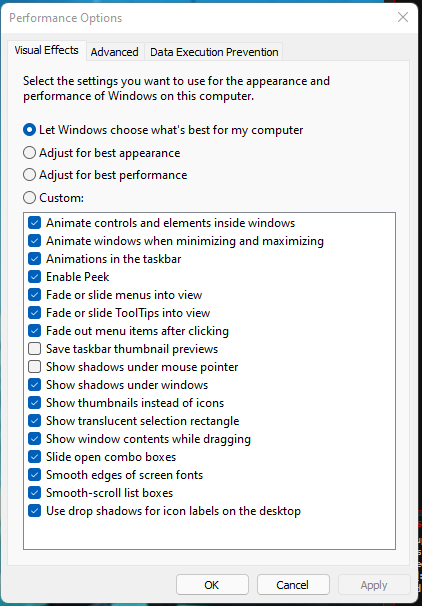
Performance Options > Visual Effects
You can change it to adjust for best performance or custom and just uncheck everything.
that will kind of make your computer look more like windows 95/98 , but will probably give you an extra 3 to 4 FPS
This will probably help your cpu on average of about 5%
also: I would Lower you resolution refresh speed fromn145 hz to 80 if not 60. ( not just ingame, but your nvidia desktop settings as well )
When Using MSI Afterburner, when you Overclock your graphics card, most of the time you also need to turn the Wattage down if possible.
then you also need to adjust the FAN curve speed, most just set there fans to run at 80% all the time which is a pretty safe number for the fans.
( you can always lower temps by getting aftermarket fans, or better thermal paste. )
https://www.newegg.com/noctua-nt-h2/p/2MB-0026-00005?Item=9SIAADY8R70239Noctua NT-H2 3.5g, Pro-Grade Thermal Compound Paste incl. 3 Cleaning Wipes (3.5g)
Probably the best thermal paste out there right now.
Otherwise..........................
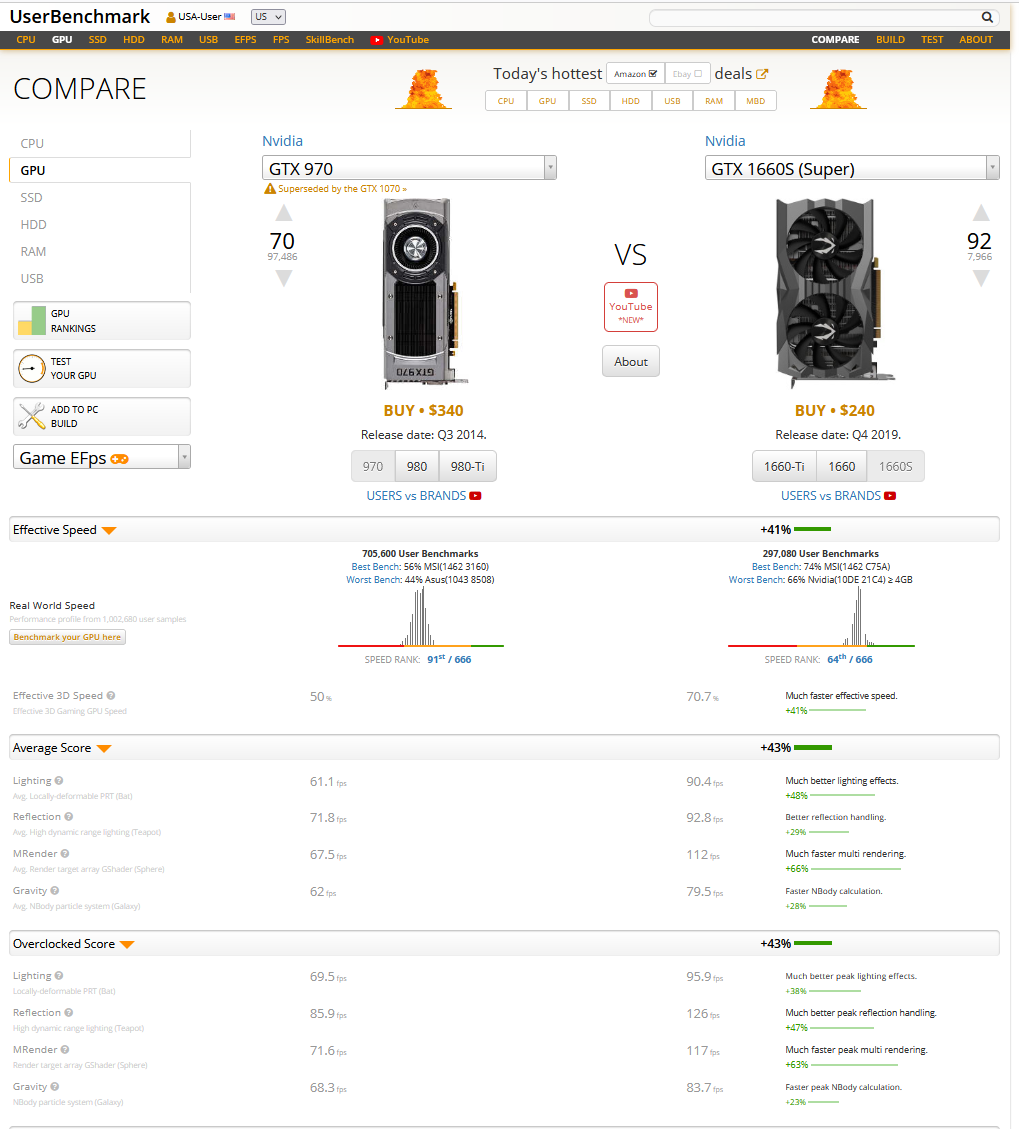
Bestbuy , does have a lot of GTX 1660 Supers for sale $549.99
then there is always Facebook market or other auction websites.
With that GPU you should have 54-60 FPS stable with overclock with low settings.CPU is not Fast enough for modern warfare, even with overclock, thats your bottleneck.But if you upgrade to at least a gtx 1660 super, then that should make up for the CPU issue for the most part, but eventually you will probably want to do a simple CPU/Motherboard upgrade, can get some decent stuff like a i5-3570k for 80 bucks new online. and a 54$ Biostar motherboard.
This post was edited by conetopia on Sep 6 2021 07:24pm