d2jsp
Log InRegister
d2jsp Forums > Off-Topic > Computers & IT > Monitor Overclock Issue...
Add Reply New Topic New Poll
Member
Posts: 36,557
Joined: Apr 27 2007
Gold: 490.00
Jan 15 2017 10:33am
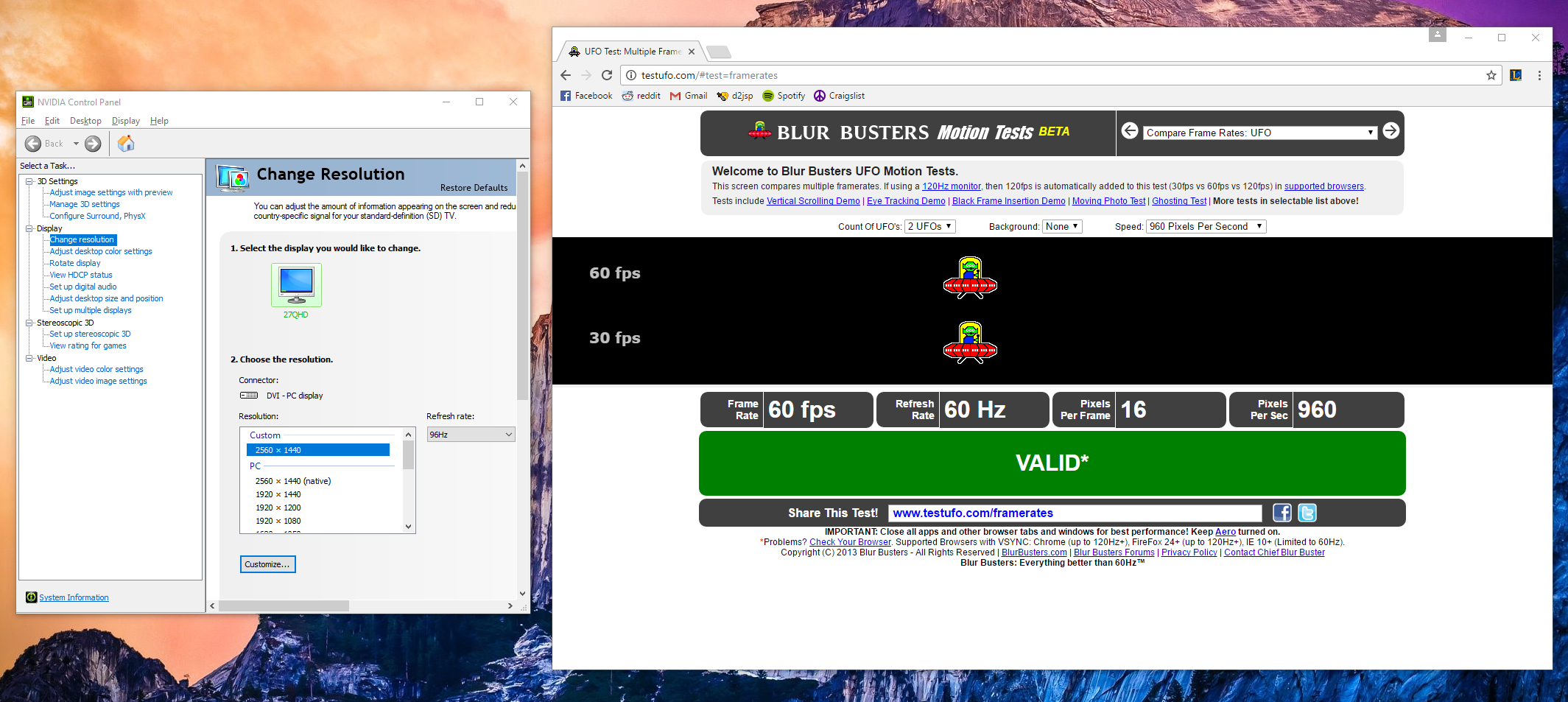
I have a Crossover 2795QHD set at 96Hz and have had no problems at all. Haven't played much of anything this past week. Just went to play some WoW and it felt weird. Checked my refresh rate in NVIDIA Control Panel... 96Hz no problems there. I decided to check it at UFO Test and it's coming back 60Hz. Not sure what the issue is... any ideas?
Member
Posts: 16,267
Joined: Jun 22 2010
Gold: 83.19
Jan 15 2017 06:38pm
So control+r in game is showing that you're at 96Hz?

Are the in game display settings correct to display that refresh rate?

This post was edited by frothyshoes on Jan 15 2017 06:39pm
Member
Posts: 50,343
Joined: Apr 3 2008
Gold: 0.00
Jan 15 2017 06:41pm
Quote (Incendiary @ Jan 15 2017 08:33am)
I have a Crossover 2795QHD set at 96Hz and have had no problems at all. Haven't played much of anything this past week. Just went to play some WoW and it felt weird. Checked my refresh rate in NVIDIA Control Panel... 96Hz no problems there. I decided to check it at UFO Test and it's coming back 60Hz. Not sure what the issue is... any ideas?

https://i.gyazo.com/37c657b4ddc880f89e9a74a4d798b29c.png


What browser do you use?
Member
Posts: 16,679
Joined: Mar 22 2007
Gold: 5,000.00
Jan 15 2017 09:40pm
180fps @ www.testufo.com/framerates#count=6&background=stars&pps=3840
decent. Is that normal chrome you're using?
Try another browser for comparison.
-NorthTown.
Go Back To Computers & IT Topic List
Add Reply New Topic New Poll