
d2jsp
Log InRegister
d2jsp Forums > Diablo > Diablo 4 > D4 Discussion > Loading Images 101
Add Reply New Topic New Poll
Member
Posts: 12,555
Joined: May 14 2013
Gold: 260,937.34
Jul 7 2026 08:47pm
SS capture help for the community

I can't speak for your Mac users(why your gaming on a Mac I will never understand)

But for all the PC gamers.
Your computer has a Snipping Tool you can use.


1) Open search bar and click on Snipper Tool


2) Click +New and Left click and drag to highlight the area you want to be shown


3) Left click the "Copy" feature marked in RED


4) Open up a D2JPS Thread and just hit Control+V to paste it
NO NEED TO CLICK THE IMAGE TAB OR URL


5) Preview post to ensure image looks the way you want

6) Win
Member
Posts: 17,281
Joined: Jan 3 2008
Gold: 5.50
Jul 9 2026 12:54am
That's a 10/10, friend.
Member
Posts: 12,630
Joined: Aug 11 2008
Gold: 224,440.50
Jul 9 2026 05:27am


Note:
I don't believe this works unless you've subscribed (made a purchase) within 30 days.
I refer to it as a "jsp sub" - I don't believe users who haven't sub'd that month can use image uploading features. To my understanding, users who haven't sub'd in 30 days have to upload all img's to imgur or alternatively use a hyperlink for img uploading.


If you make one single fg purchase every 30 days (the min. is 10$usd - cheaper than my disney+ sub) you will receive these additional perks
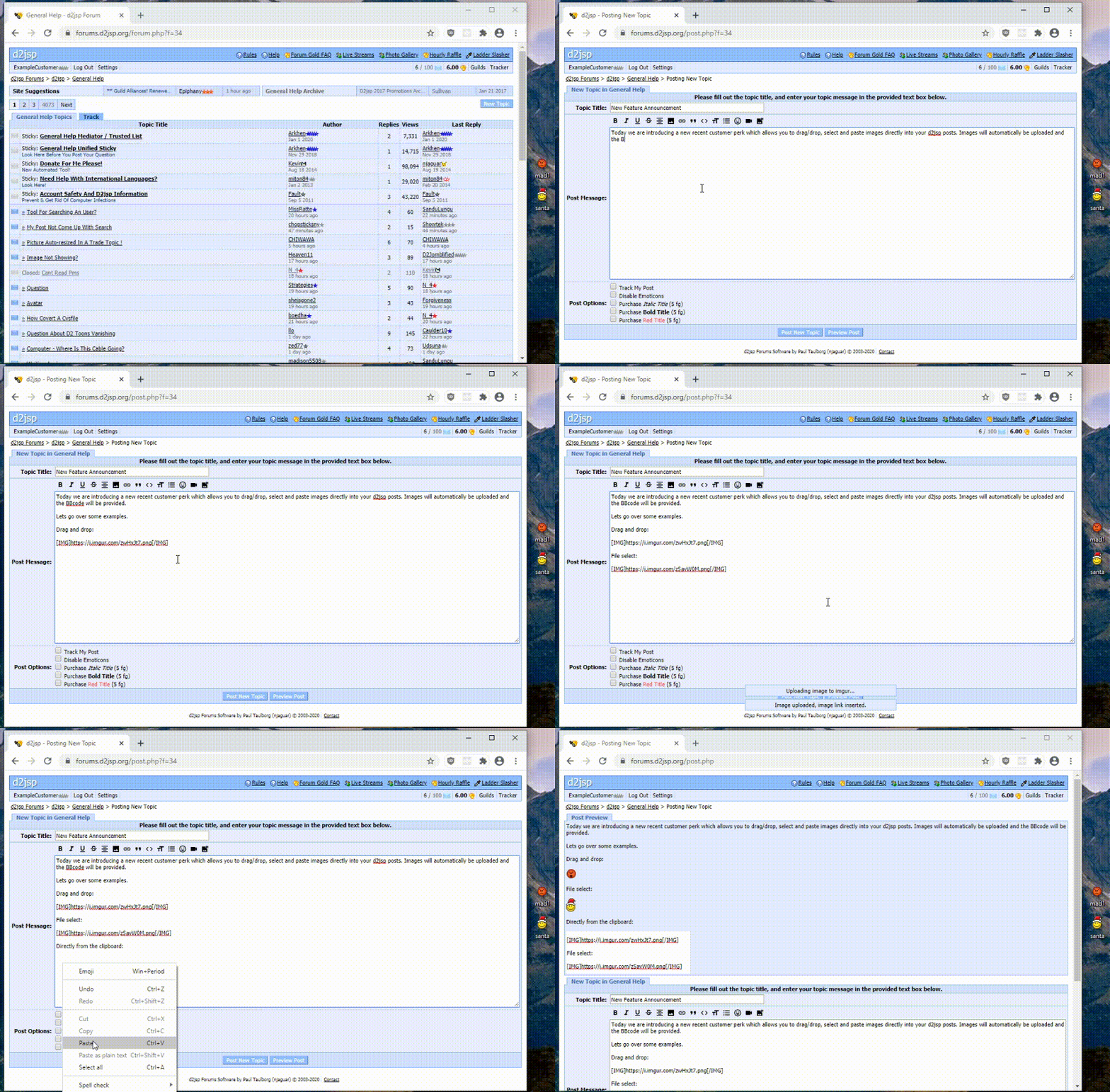
All I have to do is press the PRT/SC button on my keyboard and all of this is automated. Ctrl + V directly into posts (doesn't work for pms).

Image Uploading:
https://forums.d2jsp.org/topic.php?t=83903674


This post was edited by thumpr on Jul 9 2026 05:48am
Go Back To D4 Discussion Topic List
Add Reply New Topic New Poll