d2jsp
Log InRegister
d2jsp Forums > Diablo II > Diablo 2 Discussion > Player vs. Monster > How To Fix This Screen Issue > Im Also Trying To Have Fullscreen Work
Add Reply New Topic New Poll
Member
Posts: 1,369
Joined: Aug 8 2010
Gold: 807.00
Jan 11 2019 10:33pm
im trying to set sven glide wrapper to run on full screen so i can disable the annoying black border, with plugy and , that doesnt work and i also have this issue with the screen display when i launch d2 in full screen only , windowed mode seem fine
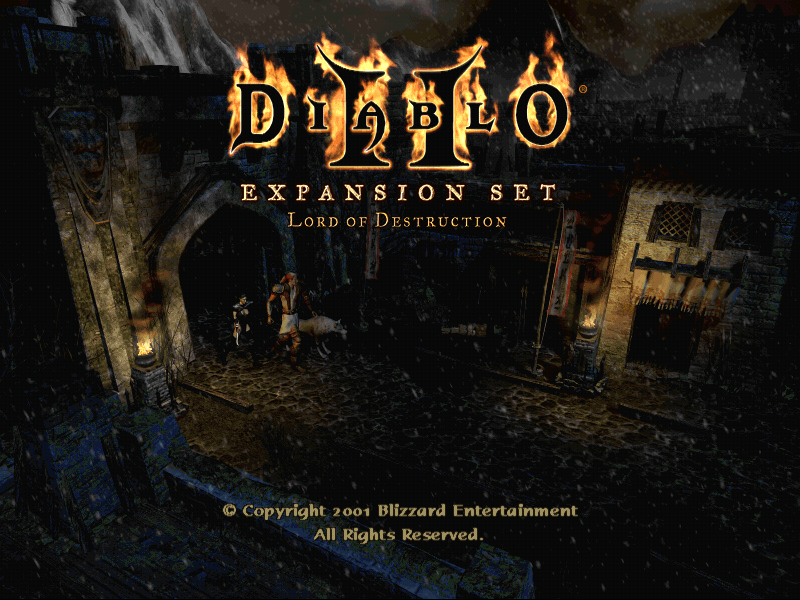
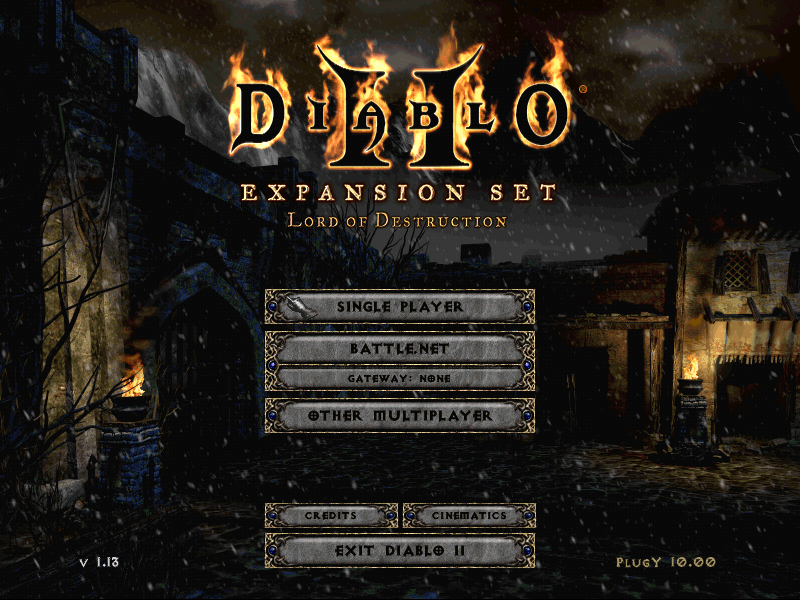


it is kinda hard to see when its on a screenshot but when i am ingame it is worse , i can see checkered pattern like this
This post was edited by chevelle70ss on Jan 11 2019 10:37pm
Member
Posts: 22,315
Joined: Mar 3 2009
Gold: 3,723.00
Jan 11 2019 11:29pm
virus from downloading plugy
Member
Posts: 21,226
Joined: Jan 27 2008
Gold: 2,725.00
Jan 12 2019 11:16am
I had this once on my laptop when I was using glide wrapper for a higher resolution mod. No plugy. It has something to do with the glide wrapper or changing the resolution
Member
Posts: 1,369
Joined: Aug 8 2010
Gold: 807.00
Jan 13 2019 04:40am
this might be why im using a laptop right now on my other pc i have 0 problem running the game in full screen andi dont have the bad image issue.
, i think the max res for this laptop is 1366x768
Member
Posts: 1,369
Joined: Aug 8 2010
Gold: 807.00
Jan 20 2019 10:29am
Found the problem , when i launch using glider i get that screen bug, if i use d3draw i dont have this issue only crappy color and multi color pixel everytime i change act.

If i play the original diablo 2 game on bnet i dont have this issue either and it is using the glidewrapper .

:banana: anyone know how to fix this annoying glitch
Go Back To Player vs. Monster Topic List
Add Reply New Topic New Poll