How to set up a Profile Counterby IchigoKurosakiBefore we start:If some of you ask themselve why i have written a Guide about such a simple Topic: It's because i received lots of PMs where other Users asked me how to get such a Profile Counter as mine. Yes, maybe some people dont want to google and if you say you can easily google that kind of things, then please do that. and dont look into Guides because all Guides are "Googlable". Also I saw some Topics in the General Help Forum in which Users asked for helping them with the setup of a Profile Counter. And that told me that some people might need a Guide about this.
Lets get started...Your Browser opened go to the site
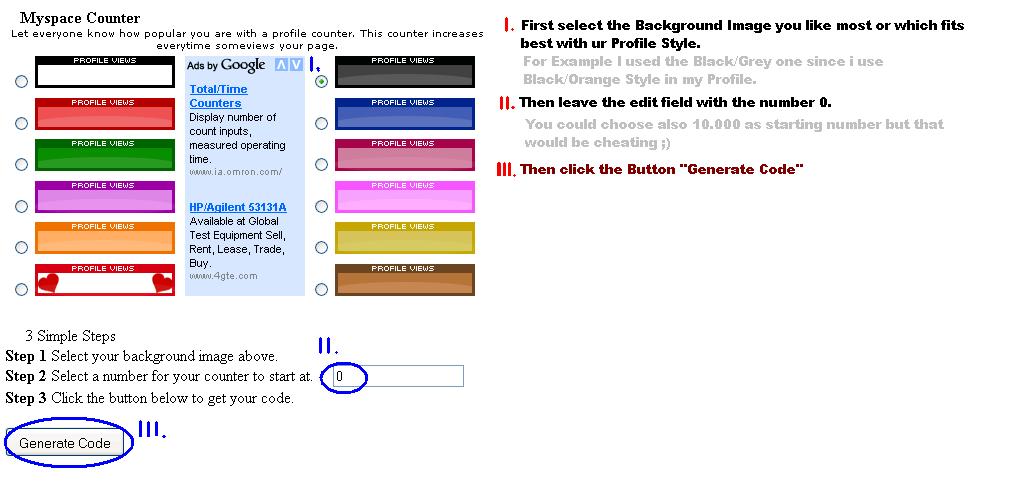
http://www.completemyspace.com/counter/setup.php The Site looks like this:
 Step 1:
Choose Your Background Image you would like to use. Therefor u have to mark the BUTTONS in front of the Images (I.)
Step 2:Choose Your starting Number
Step 3:Just Click on the BUTTON "Generate Code" (III.).

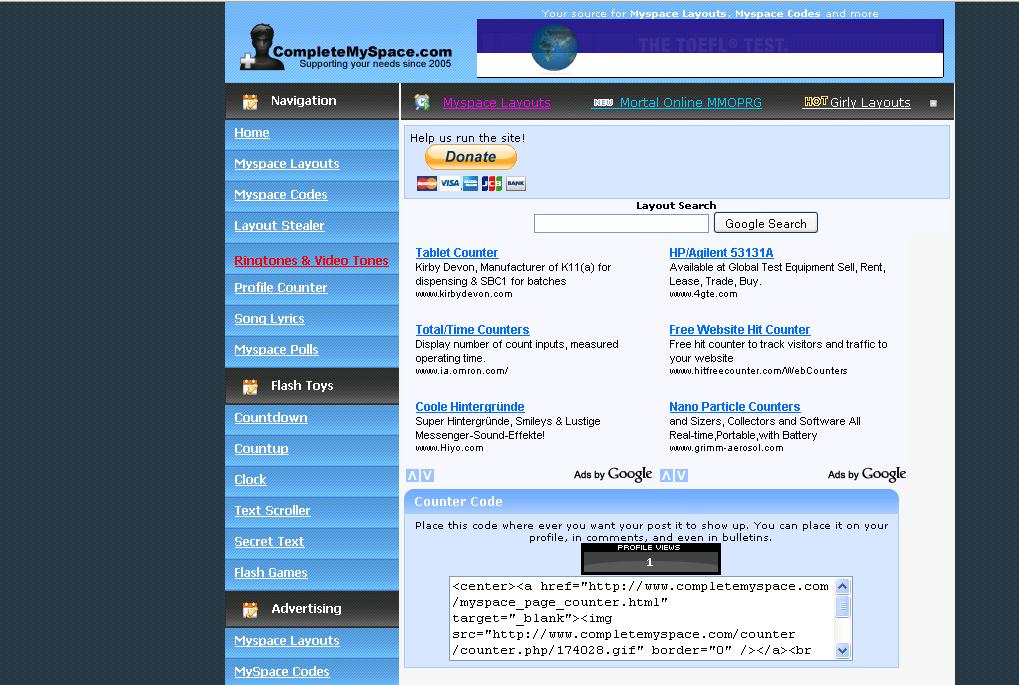
This Site will be redirected to you:
 Step 4:
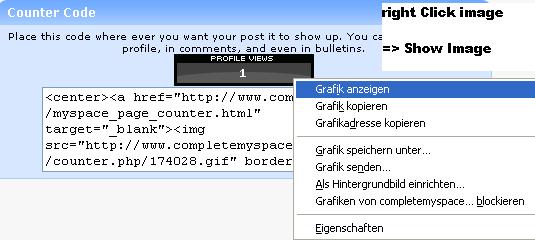
Right Click the Image and choose the Option "Show Image" to open the Image in the Browser Window:
 This post was edited by IchigoKurosaki on Nov 17 2008 01:03pm